
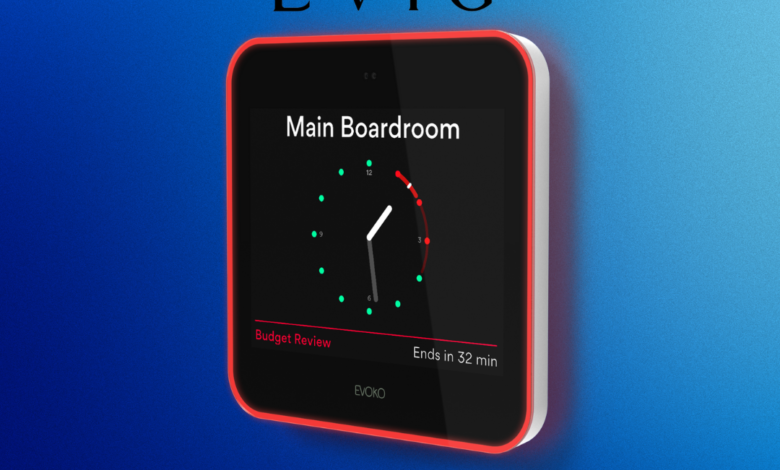
If you’re using Evoko in your office or store, good choice. It’s a helpful tool for booking rooms and desks without any mix-ups. But here’s the thing—just installing it isn’t enough. If you don’t set it up correctly, it won’t work as well as it should.
In this article, we’ll go over the basics: what you should do, what to avoid, and how to make sure your Evoko devices run smoothly every day. Whether you’re running a small retail store or a busy office, this will help you get the most out of your system.
Take a Look Around Before You Set Up
Before mounting anything to the wall, take a few minutes to look around. Where does it make the most sense to place the device? In smaller spaces like boutique retail stores, the meeting or back office areas can get tight.
You’ll want to put the screen somewhere visible and easy to reach—so that no one has to stretch or search for it.
Also, check the internet signal in that spot. If Wi-Fi is weak, the device might not work properly.
Choose the Right Device Based on Your Needs
Evoko has a few options. Picking the right one makes a big difference.
- Evoko Liso: Best for meeting rooms. Shows a red or green light so people know if it’s booked. Looks neat, very clear.
- Evoko Naso: Works through the cloud. Easy to set up, no server required.
- Evoko Kleeo: This one is for desks. Good choice if your space has flexible seating or shared desks.
These are all part of Evoko meeting room solutions, and you can mix and match them to fit your setup.
Don’t Cut Corners on Power and Internet
Many setup problems come from power or internet issues. Try to use PoE (Power over Ethernet) where you can. It gives both power and internet with one cable—clean and stable.
Avoid placing devices near hot equipment or too close to windows where glare could block the screen. It’s simple stuff, but it matters.
Stick to the Tools You Already Use
Evoko works with tools like Google Workspace and Microsoft 365. It’s best to connect it with the one your team is already using. Don’t try to use everything at once—go with what’s already familiar.
Also, keep your device software updated. Updates help fix minor bugs and improve how things run.
Give Everyone a Quick How-To
A lot of people forget this part. After setting things up, make sure your team knows how to use the screen. Even a 10-minute walk-through makes a big difference.
If someone doesn’t know how to book a room or check availability, they won’t use the system—and that leads to empty rooms or double bookings. A little bit of training avoids all that.
Get Help from People Who Know the Product
In Dubai, the official Evoko distributor is Evig, an audio visual technology solution provider in Dubai. That’s important to know. They’ve done plenty of setups and can help you get things right from the start.
Evig doesn’t just ship boxes. They help you plan, install, and support the entire system, step by step. If you’re not sure where to start, working with them makes the whole thing easier.
Keep It Simple to Start
When setting up new tech, some people get too fancy right away. They try to link it with other innovative tools or create too many rules and setups.
That usually ends in confusion. Start with just the basics—room or desk booking. Once people are used to it, then you can look into extra features like check-ins or reports.
Why Evoko Meeting Room Solutions Work Well
One of the reasons Evoko meeting room solutions are popular is that they’re easy to use. No more guessing if a room is free. No more paper signs or clunky calendars. Everyone can see what’s booked and what’s open, right on the screen.
And in a small retail shop or growing office, that clarity saves time and avoids stress.
Final Words
Don’t just install your Evoko devices and forget about them. Take a little time to set them up. Look at your space, connect them properly, and explain how they work to your team.
And if you’re in Dubai, Evig is there to help you do all of this without any guesswork. They know what works—and what doesn’t.
A good setup means fewer problems later. And when your team knows exactly when and where to meet, everyone works better.


